In the fast-paced world of logistics, the ability to turn a Request for Quote (RFQ) into a confirmed shipment is the ultimate competitive advantage. Manual processes, fragmented data, and slow response times are the silent killers of freight forwarding profitability. At NEO6, we designed ShipX to replace this friction with a sophisticated, minimalist workflow that prioritizes speed, accuracy, and margin control.
The Anatomy of a Perfect Commercial Workflow
Success in logistics software isn’t just about functionality; it’s about the workflow architecture. A professional, high-end tech aesthetic doesn’t just look better—it minimizes cognitive load for your team, allowing them to focus on what matters: the client.
Step 1: Identify and Prioritize (The RFQ Stage)
The workflow begins the moment an inquiry hits your dashboard. By monitoring the ledger for the RFQ status, your team can prioritize high-value, time-sensitive opportunities instantly.
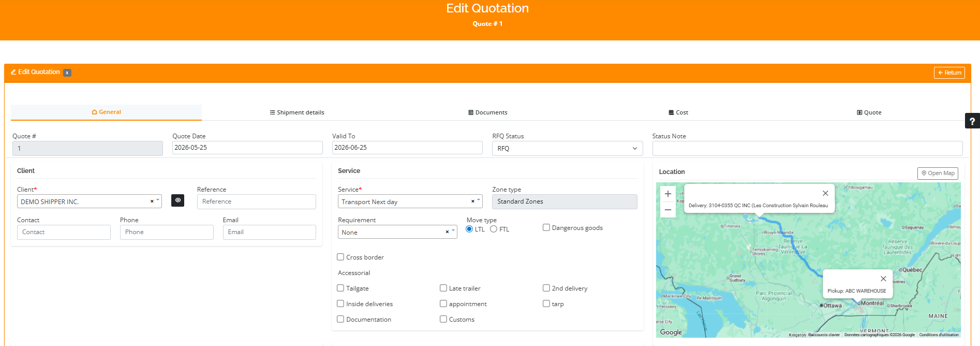
Overview of the ‘Edit Quotation’ interface, showing high-level parameters and menu navigation.
Step 2: Precision Data Entry and Validation
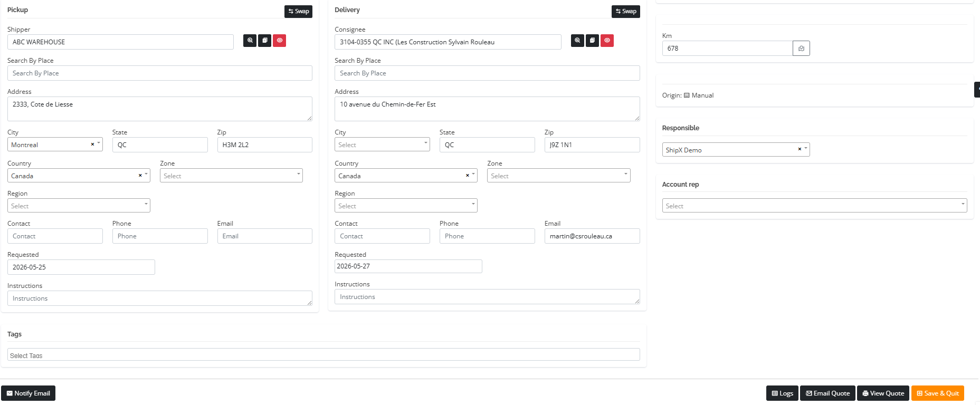
Once you enter the Edit Quotation interface, the goal is to validate client information with surgical precision. Our interface is divided into two primary zones to ensure nothing is overlooked.
Entry of detailed logistics data (Pickup/Delivery) to ensure routing precision.
Step 3: Shipment Detail Validation
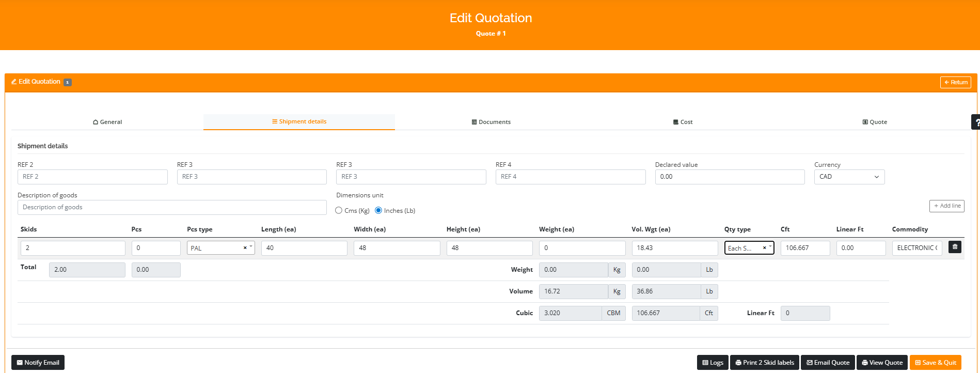
Before quoting, you must validate the freight. The Shipment details menu allows for a deep dive into dimensions, weights, and commodity types. Ensuring that your Vol. Wgt and actual weights are correct is not just about safety—it’s about protecting your margins against re-weigh charges later in the process.
” Validation of shipment details, including dimensions and volumetric weight calculation.”
Step 4: Centralized Document and Cost Control
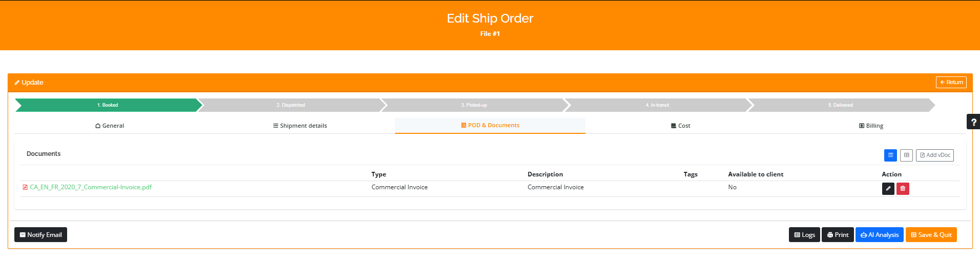
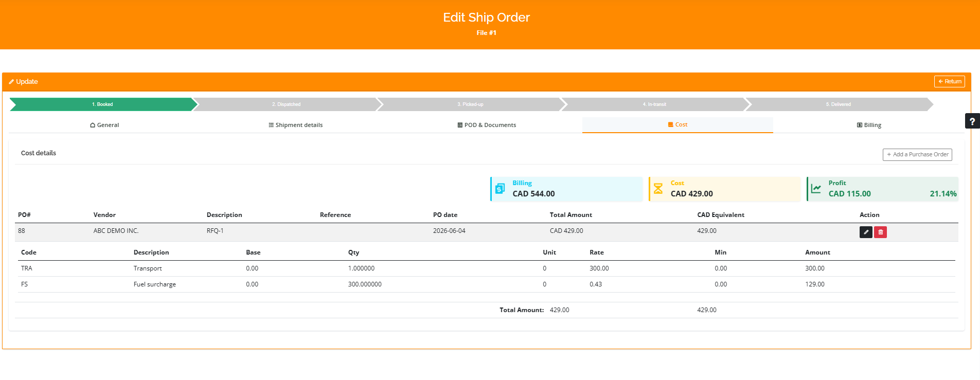
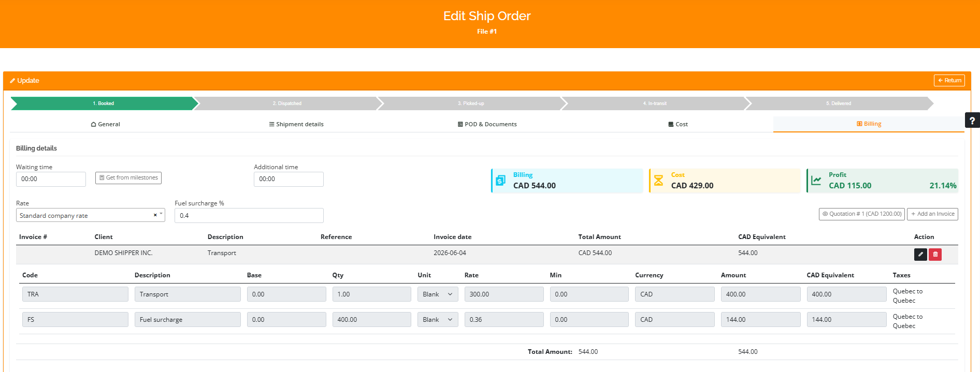
A fragmented document trail is a liability. Using the POD & Documents tab, you can keep all pertinent files—from commercial invoices to BOLs—in one central, accessible location. This is followed immediately by the Cost and Billing modules, where the core of your profitability is determined.
Centralized management of attachments.”
Management of vendor costs and tracking of profit margins.”
“Configuration of client billing and commercial terms.”
Step 5: From Quoted to Confirmed
Once you click Send in the Email Quote interface, the system logs the communication automatically. Your file status updates to Quoted, shifting your team’s focus from generation to proactive client follow-up.
Quick email sending window for seamless communication.
Automatic status update to ‘Quoted’ in the ledger.
Conclusion
Your software interface should be your most efficient employee. By adhering to a structured, transparent commercial workflow, you not only improve your team’s productivity but also enhance your brand’s reputation for professionalism and reliability.
Ready to optimize your supply chain workflow? See how ShipX can transform your daily operations into a competitive advantage.