
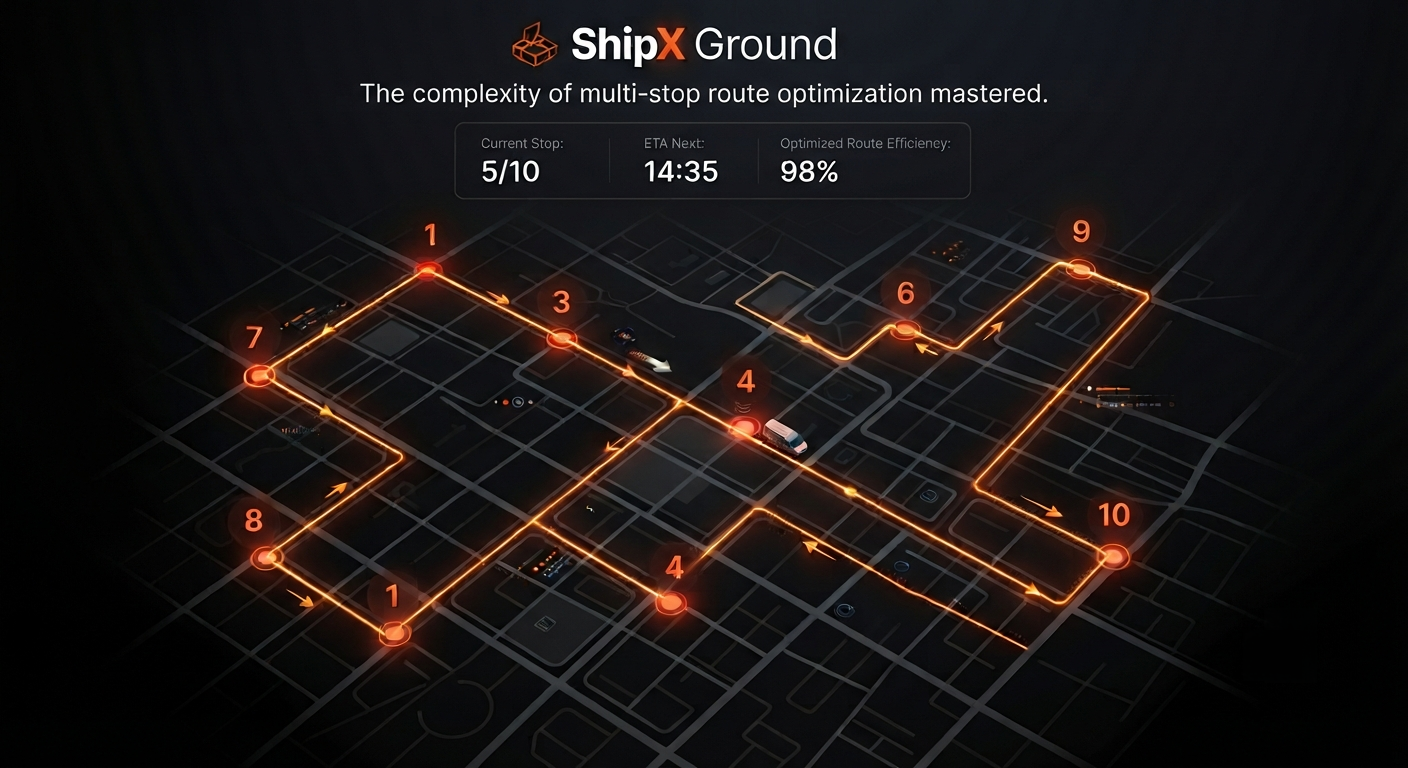
In modern logistics, operational efficiency is driven by your ability to manage complex transportation workflows seamlessly. ShipX provides a powerful Multi-Stop Ship Order functionality designed to streamline operations involving multiple pickup and drop-off points, allowing dispatchers to consolidate shipments effectively, optimize routing, and maintain full visibility across every leg of the journey.
Whether you are managing milk-run operations or complex multi-client deliveries, this module provides the flexibility required to sequence stops, manage time windows, and assign resources with precision.
Streamlined Management: From Planning to Execution
Creating a multi-stop ship order in ShipX follows a set of intuitive steps to ensure reliable, high-performance logistics execution.
1. Initiating the Order
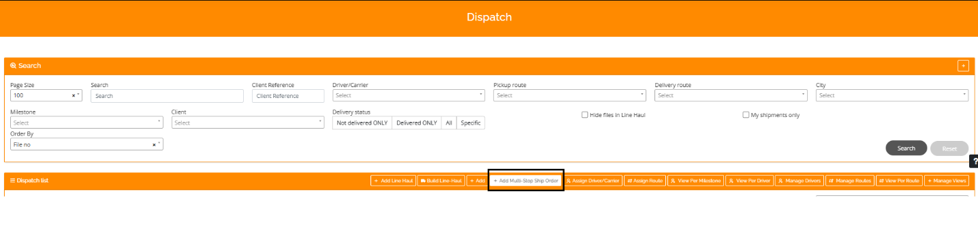
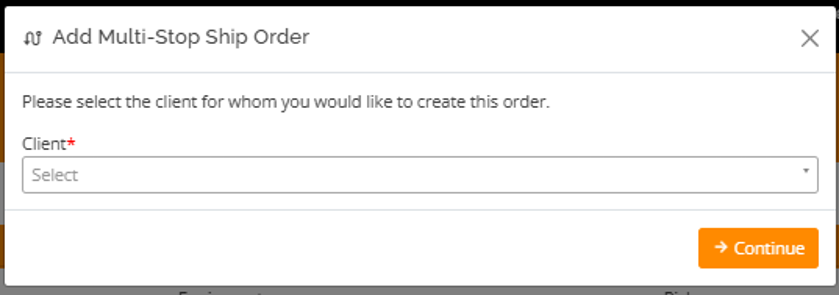
To begin, navigate to the Dispatch menu. In the Dispatch list toolbar at the bottom of the screen, select the + Add Multi-Stop Ship Order button. You will first need to select the client from the dropdown menu and click Continue to proceed.
2. Configuring Order Details
Once the client is selected, use the Edit Multi-Stop Ship Order screen to define your shipment parameters:
- General Information: Complete the fields for client contact information, service type, and equipment requirements.
- Move Type & Accessorial: Select the move type (LTL or FTL) and check any applicable accessorial services, such as tailgates or appointments.
3. Building Your Route
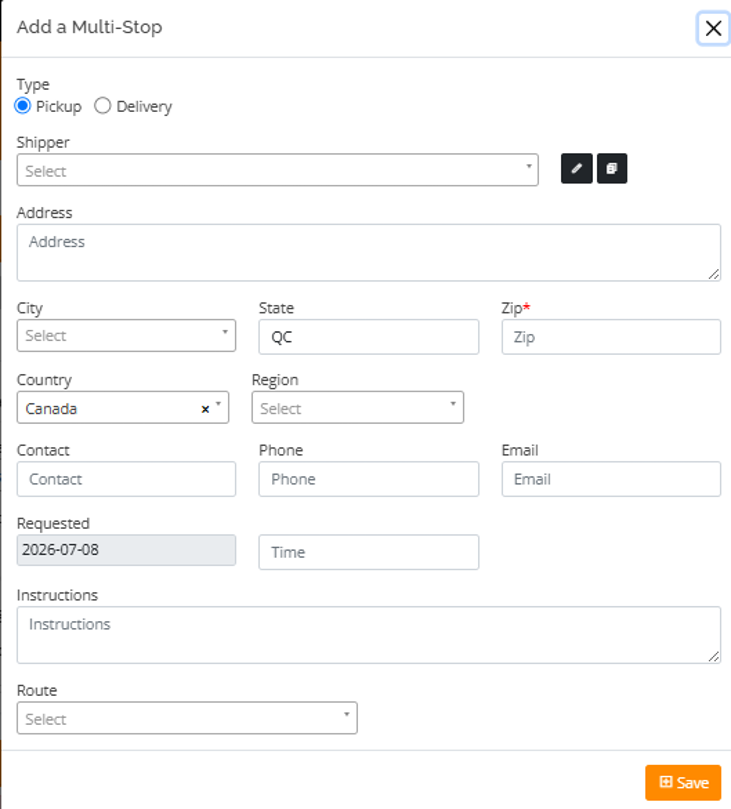
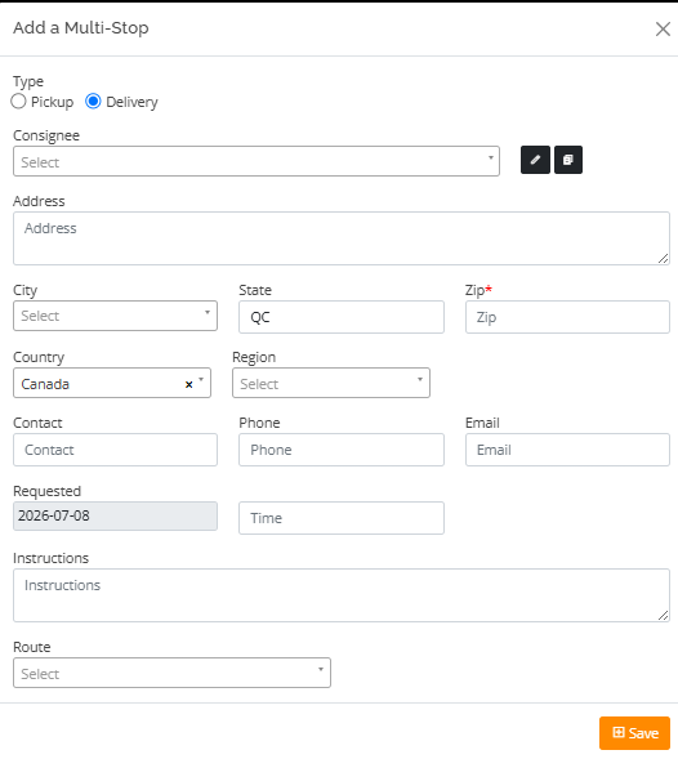
Use the + Add Stop button within the Multi-Stop Mode section to sequence your stops. It is critical to ensure that your sequence begins with a Pickup and concludes with a Delivery. For each stop, you will define the location, contact information, and specific shipping instructions.
Real-Time Oversight and Control
Once all stops are added, they appear in the Multi-Stop Mode section, giving you a clear overview of the sequence. The map interface in the top-right corner provides a real-time visual representation of the route, connecting every leg from initial pickup to final delivery. If planning changes, you can easily modify or remove entries using the action icons provided.
Precision Cargo Planning
To finalize your order, navigate to the Shipment details tab. This section is vital for accurate load planning. You can:
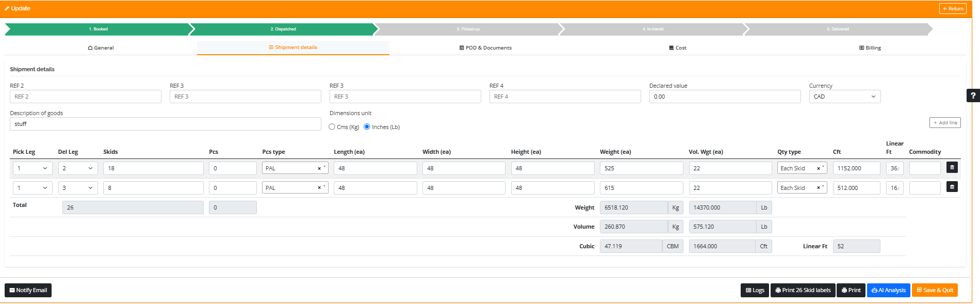
- Provide a clear description of the goods and their declared value.
- Select the appropriate measurement units (e.g., Cms/Kg or Inches/Lb).
- Use the drop down to detail items, ensuring the correct Pick Leg and Del Leg are matched to your stops.
The system automatically calculates total weight, volume, and cubic measurements, providing an automated summary for the entire order.
Ready to enhance your logistics performance? Leverage the power of ShipX to transform complex routing into a seamless operation.